
Internationalization
Both rendering engines draw text with whatever fonts the host OS / container provides — the default skia engine uses the system font stack directly, and the browser engine uses Chromium's usual font stack. The Docker image bundles Noto Sans CJK (used by both engines), which covers Japanese, Chinese, and Korean without tofu.
Japanese labels
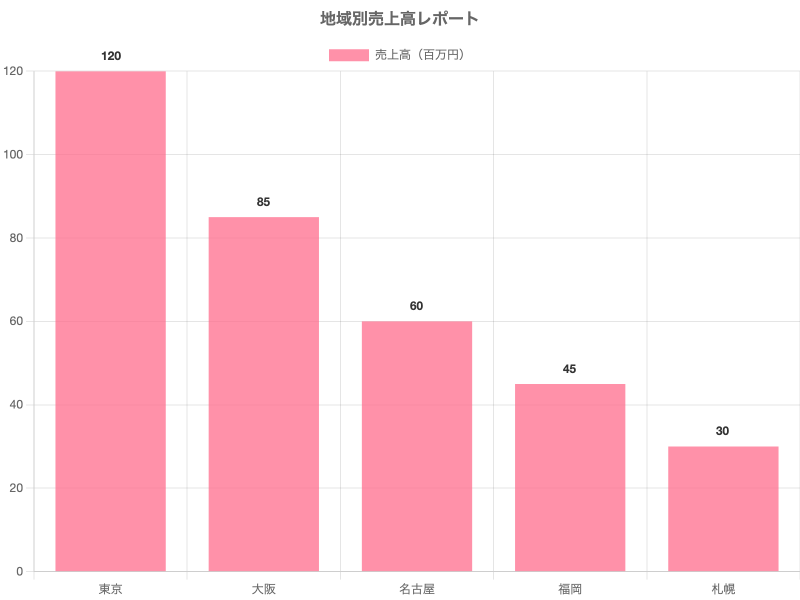
Why it works
- In Docker: the
Dockerfileinstallsfonts-noto-cjk. Both theskiaandbrowserengines pick it up automatically as the fallback for CJK glyphs. - On your host (without Docker): whatever your OS uses. On macOS and recent Windows, CJK just works. On fresh Linux minimal installs, you may need to
apt install fonts-noto-cjkor similar.
Verifying a non-default locale
Quickest smoke test:
# JA
echo '{"type":"bar","data":{"labels":["東京"],"datasets":[{"data":[1]}]}}' \
  | chartjs2img render -o /tmp/ja.png

# ZH
echo '{"type":"bar","data":{"labels":["北京","上海"],"datasets":[{"data":[1,2]}]}}' \
  | chartjs2img render -o /tmp/zh.png

# KO
echo '{"type":"bar","data":{"labels":["서울","부산"],"datasets":[{"data":[1,2]}]}}' \
  | chartjs2img render -o /tmp/ko.png
If any of those render as boxes, check font install on the host (or use the Docker image).
Right-to-left scripts
RTL (Arabic, Hebrew) also render correctly — Chart.js plus the underlying engine (Skia or Chromium) handle the text layout natively. Punctuation and bidi isolates behave as expected. We don't ship an RTL-specific font pack; the glyph coverage of Noto Sans gets you there on most systems.
Forcing a specific font
Set the font family in one of three ways (Chart.js options.font.family cascades down to every text element):
- CLI:
--font-family "<name>" - HTTP:
"fontFamily": "<name>"in the request body - Library: the
fontFamilyrender option
Via the CLI and HTTP the name must be a font already installed on the host (the default skia engine reads the system font stack; the browser engine reads Chromium's).
Bring your own font (library, no system install)
From the TypeScript library you can register a font package — e.g. an @fontsource/* — and render with it on the skia engine without any system font installed. This is the easiest way to guarantee CJK / multi-language output in a minimal container:
import { renderChart, registerFonts } from 'chartjs2img'
import { createRequire } from 'node:module'
const require = createRequire(import.meta.url)

// bun add @fontsource/noto-sans-jp
await registerFonts({
  'Noto Sans JP': [
    require.resolve('@fontsource/noto-sans-jp/files/noto-sans-jp-japanese-400-normal.woff2'),
  ],
})
await renderChart({ chart, fontFamily: 'Noto Sans JP' })
Register several script subsets under one family name for combined coverage. See Library API → Custom fonts for details. (Registration is library-only; the CLI and HTTP fontFamily just select an already-installed font.)