
HTTP server
Run chartjs2img serve to expose the same renderer over HTTP. This is the right mode when multiple clients render charts, when renders benefit from a shared in-memory cache, or when you want a single long-running process rather than per-chart subprocess startup.
chartjs2img serve --port 3000On startup the server prints:
chartjs2img v0.7.1 listening on http://0.0.0.0:3000
  POST /render      - render chart from JSON body
  GET  /render      - render chart from query params
  GET  /cache/:hash - retrieve cached image
  GET  /examples    - examples gallery
  GET  /health      - health check + stats
Press Ctrl-C (or send SIGTERM) to shut down cleanly — the server drains in-flight requests before closing the browser engine (a no-op if only the default skia engine was used, since it launches nothing).
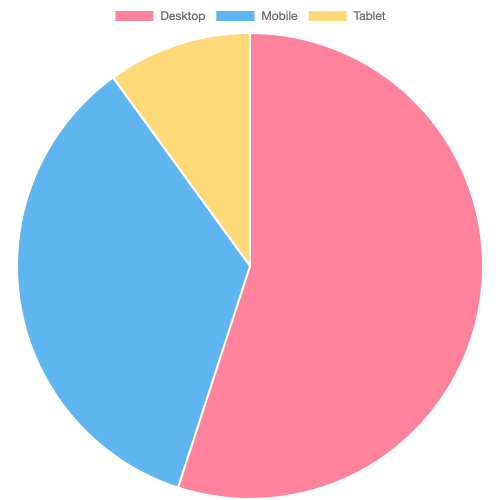
A quick taste of what the POST produces — flip to the HTTP tab to see the exact curl that generates the preview:
Server flags
| Flag | Default | Env var | Description |
|---|---|---|---|
--port, -p | 3000 | PORT | TCP listen port |
--host | 0.0.0.0 | HOST | Bind address |
--api-key | (none) | API_KEY | Require this token on auth-gated endpoints |
Other knobs (concurrency, cache, timeouts) are configured via environment variables only — see Environment variables.
POST /render
Render a chart from a JSON body.
curl -X POST http://localhost:3000/render \
  -H 'Content-Type: application/json' \
  -d '{
    "chart": {
      "type": "bar",
      "data": { "labels": ["Jan","Feb"], "datasets": [{"data":[1,2]}] }
    },
    "width": 800,
    "height": 600,
    "format": "png"
  }' \
  -o chart.png
Request body
| Field | Type | Default | Description |
|---|---|---|---|
chart | object | required | Chart.js config (type, data, options, …) |
width | number | 800 | Image width in pixels |
height | number | 600 | Image height in pixels |
devicePixelRatio | number | 1 | Output scale factor — N multiplies both image dimensions and rendering precision |
backgroundColor | string | "white" | CSS color ("transparent" supported) |
format | string | "png" | png or jpeg |
quality | number | 90 | JPEG quality (0-100) |
engine | string | "skia" | Rendering engine: skia or browser |
fontFamily | string | host default | Default chart font family — must already be installed on the host (custom fonts are registered only via the library) |
The engine field also works as the ?engine= query parameter on GET /render. An unknown value returns 400. The default skia engine renders in-process with no browser; browser uses headless Chromium. The two engines cache independently (the cache hash includes the engine), so switching engines re-renders rather than returning a stale image.
JSON only — functions are silently dropped
The chart field travels through JSON.stringify on its way into the renderer. Any formatter: (ctx) => ... callback, tooltip callback, or scale tick callback disappears in transit. Use static values instead.
Missing / invalid input returns 400 with a JSON error body:
{ "error": "Missing or invalid required field: chart (must be an object)" }Response headers
| Header | Description |
|---|---|
Content-Type | image/png or image/jpeg |
X-Cache-Hash | SHA-256 hash (first 16 hex chars) of the canonicalized request |
X-Cache-Url | Full URL to re-fetch this image from /cache/<hash> |
X-Cache-Hit | "true" if served from cache, "false" if freshly rendered |
X-Chart-Messages | JSON array of {level, message} — only present on warnings/errors |
See Error feedback for how to interpret X-Chart-Messages, and Cache for how the hash is computed.
GET /render
Same semantics as POST, but all parameters come from query strings. Useful for embedding in <img> tags.
GET /render?chart={"type":"bar","data":{...}}&width=400&height=300The chart query parameter must be a URL-encoded JSON string. Beyond a few hundred data points you'll want POST — most clients cap URL length well below chartjs2img's server limit.
GET /cache/:hash
Re-fetch a previously rendered image by its cache hash.
# Render and grab the hash
HASH=$(curl -s -D- -X POST http://localhost:3000/render \
  -H 'Content-Type: application/json' \
  -d '{"chart":{"type":"bar","data":{"labels":["A","B"],"datasets":[{"data":[1,2]}]}}}' \
  -o /dev/null | grep -i x-cache-hash | awk '{print $2}' | tr -d '\r')

# Fetch the cached image later
curl -o chart.png "http://localhost:3000/cache/$HASH"
Cached entries expire after CACHE_TTL_SECONDS (default 3600). Missing or expired hashes return 404. Details in Cache.
GET /health
Returns server status, renderer stats, cache info, and concurrency counters. Useful for liveness / readiness probes.
{
  "status": "ok",
  "version": "0.7.1",
  "renderer": {
    "browserConnected": true,
    "concurrency": { "max": 8, "active": 2, "pending": 0 },
    "activePages": 2,
    "maxRenderTimeSeconds": 30,
    "pageSafetyNetSeconds": 70,
    "pageTimeoutSeconds": 70
  },
  "cache": {
    "size": 42,
    "maxEntries": 1000,
    "ttlSeconds": 3600
  }
}
pageTimeoutSeconds is a deprecated alias of pageSafetyNetSeconds retained for clients shipped before the field was renamed.
GET /examples
Built-in gallery showing every example chart rendered live. The page displays each chart plus its source JSON — a convenient way to verify the service is up and browse available chart types.
TIP
When API_KEY is set, /examples requires the key too (otherwise the page would embed the key in its HTML for the subsequent /render calls and leak it on any unauthenticated fetch). See Authentication.
Capacity
Incoming renders wait on a semaphore with CONCURRENCY slots (default 8). Extra requests queue until a slot frees up. Tune via Environment variables.
Where to next
- Cache — hash-based caching mechanism and CDN-friendly URLs.
- Authentication — optional API key setup.
- Docker — container image, docker-compose, reverse proxy.
- Environment variables — every tunable for the server.
- Error feedback —
X-Chart-Messagesand HTTP error codes.