
CLI rendering
The render subcommand takes a Chart.js configuration as JSON and writes an image. It's the primary way to use chartjs2img: one input JSON in, one image out. Great for CI pipelines, Makefile targets, report generation scripts, and ad-hoc one-offs.
chartjs2img render [options]If you haven't installed yet, see the Quick start.
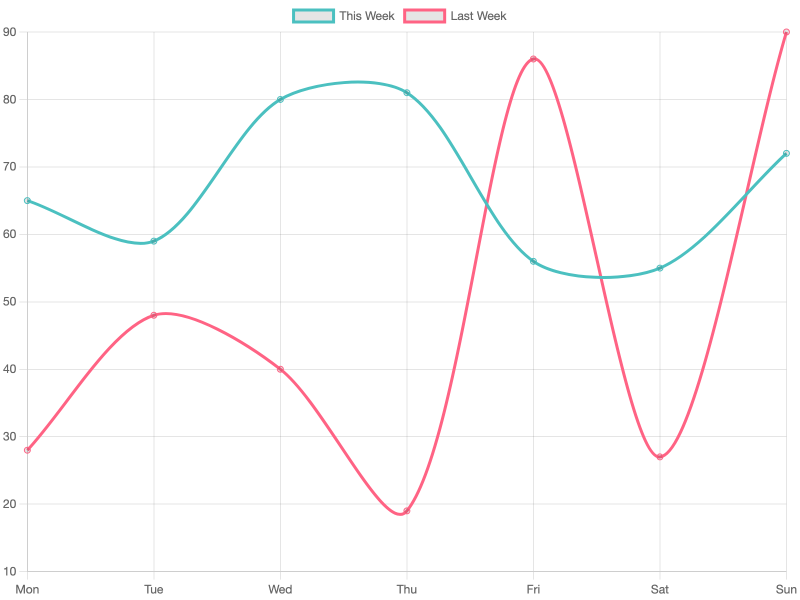
Every example in this page renders a real Chart.js config. The embedded widgets let you flip between the rendered PNG, the JSON config, and a ready-to-paste CLI command:
Usage patterns
From stdin
The default. Pipe JSON on stdin, write the image via -o.
echo '{"type":"bar","data":{"labels":["A","B","C"],"datasets":[{"data":[1,2,3]}]}}' \
  | chartjs2img render -o chart.png
From a file
chartjs2img render -i chart.json -o chart.pngTo stdout
Omit -o (or pass -o -) and the binary image goes to stdout. Handy for piping directly into identify, magick, or an HTTP POST request.
chartjs2img render -i chart.json > chart.png

# Pipe the image straight into ImageMagick for post-processing
chartjs2img render -i chart.json | magick - -resize 640x jpg:chart.jpg
JPEG output
chartjs2img render -i chart.json -o chart.jpg -f jpeg -q 85Custom dimensions, DPR, background
chartjs2img render -i chart.json -o wide.png -w 1200 -h 400
chartjs2img render -i chart.json -o retina.png --device-pixel-ratio 3
chartjs2img render -i chart.json -o transparent.png --background-color transparent
Switching engines
chartjs2img render -i chart.json -o chart.png --engine skia     # default
chartjs2img render -i chart.json -o chart.png --engine browser  # headless Chromium
Input shape
The CLI input is the Chart.js config directly — no wrapper. Compare with the HTTP body, which wraps it in a chart field.
{
  "type": "bar",
  "data": {
    "labels": ["Jan", "Feb", "Mar"],
    "datasets": [
      { "label": "Sales", "data": [12, 19, 3], "backgroundColor": "rgba(54,162,235,0.7)" }
    ]
  },
  "options": {
    "plugins": {
      "title": { "display": true, "text": "Monthly Sales" }
    }
  }
}
JSON only — functions are silently dropped
The config travels through JSON.stringify on its way into the renderer, which drops function values, symbols, and undefined. Any formatter: (ctx) => ... callback, tooltip callback, or scale tick callback will disappear in transit. Use static values instead.
Every type plus the options each plugin adds are documented in Bundled plugins, or run chartjs2img llm for the full LLM-targeted reference.
Flags
| Flag | Default | Description |
|---|---|---|
-i, --input <file> | stdin | Input JSON file, or - for stdin |
-o, --output <file> | stdout | Output image file, or - for stdout |
-w, --width <px> | 800 | Canvas width |
-h, --height <px> | 600 | Canvas height |
--device-pixel-ratio <n> | 1 | Output scale factor — N× output dimensions and rendering precision |
--background-color <color> | white | CSS color, or transparent |
-f, --format <fmt> | png | png or jpeg |
-q, --quality <0-100> | 90 | Quality for JPEG |
--engine <engine> | skia | Rendering engine: skia or browser |
--font-family <name> | host default | Default chart font family (must be installed on the host) |
Rendering engine
--engine skia (the default) renders in-process on a native Skia canvas — fast, no browser, nothing to launch. --engine browser renders through headless Chromium for exact real-browser pixel parity; Chromium is auto-installed on first use of that engine. See Install → Chromium / Chrome detection for the browser-engine prerequisites, and note that chartjs-plugin-zoom is only available on the browser engine.
Other subcommands
chartjs2img examples
Render every built-in example into an output directory. Useful for smoke-testing a new plugin bundle or engine.
chartjs2img examples -o ./out
chartjs2img examples -o ./out -f jpeg -q 80
chartjs2img examples -o ./out --engine browser| Flag | Default | Description |
|---|---|---|
--outdir, -o <dir> | ./examples | Output directory |
-f, --format <fmt> | png | png or jpeg |
-q, --quality <0-100> | 90 | JPEG quality |
--engine <engine> | skia | Rendering engine: skia or browser |
On the default skia engine the 35 built-in examples render in about 1.5 s total, since there's no browser to launch.
chartjs2img llm
Print the full Chart.js + plugin reference as Markdown, designed for piping into an LLM context window.
chartjs2img llm > reference.md
chartjs2img llm | pbcopy                              # macOS clipboard
chartjs2img llm | llm -s "Generate a stacked bar..."  # pipe to an LLM CLI
chartjs2img help / --help
Prints the full usage banner: every subcommand, every flag, every environment variable.
chartjs2img version / --version
Prints the version.
Exit codes
| Code | Meaning |
|---|---|
0 | Success |
1 | I/O failure or (browser engine) Chromium launch failure |
2 | Argument error (missing value for a value flag) |
Chart.js runtime errors (invalid type, dataset shape mismatch, etc.) do not cause a non-zero exit. They are surfaced via stderr — see Error feedback.
Performance notes
- On the default
skiaengine there's no browser to launch — each render is an in-process Skia rasterization (tens of ms per chart), so even one-shot CLI calls start rendering immediately. - On the
browserengine, Chromium is launched on the first render in the process and reused for subsequent renders within the same invocation. One-shot CLI calls pay the launch cost every time. - For batch rendering of many charts, prefer
chartjs2img examples -o ./out(which reuses one renderer across all entries) or run the HTTP server and POST each chart.
Where to next
- Environment variables — tune Chromium discovery, render timeouts, and cache behavior for CLI use.
- Error feedback — how Chart.js warnings and errors appear on stderr.
- Bundled plugins — the 12 Chart.js plugins available without extra setup.